The MLOps Foundation: Structuring Our Project for Reproducibility and Collaboration
Over the past three articles, we’ve built increasingly sophisticated demand forecasting solutions. We started with traditional statistical models, validated them rigorously, then enhanced them with Machine Learning and feature engineering. But here’s the uncomfortable truth: our work so far has been largely disposable.
If you handed your Jupyter notebook to a colleague, could they reproduce your results? What about in six months when business requirements change? The transition from experimental code to production-ready systems requires what we’ve been hinting at all along: MLOps foundations.
Today, we stop being data science hobbyists and start being ML engineers.
The Problem with Notebook Spaghetti
Jupyter notebooks are fantastic for exploration and prototyping. But they become problematic when:
- Business logic is scattered across dozens of cells
- There’s no version control for the underlying data processing
- Reproducing results requires manually executing cells in exact order
- Collaboration means constantly merging conflicting notebook versions
- Deployment becomes a painful copy-paste exercise
The Solution: A Professional Project Structure
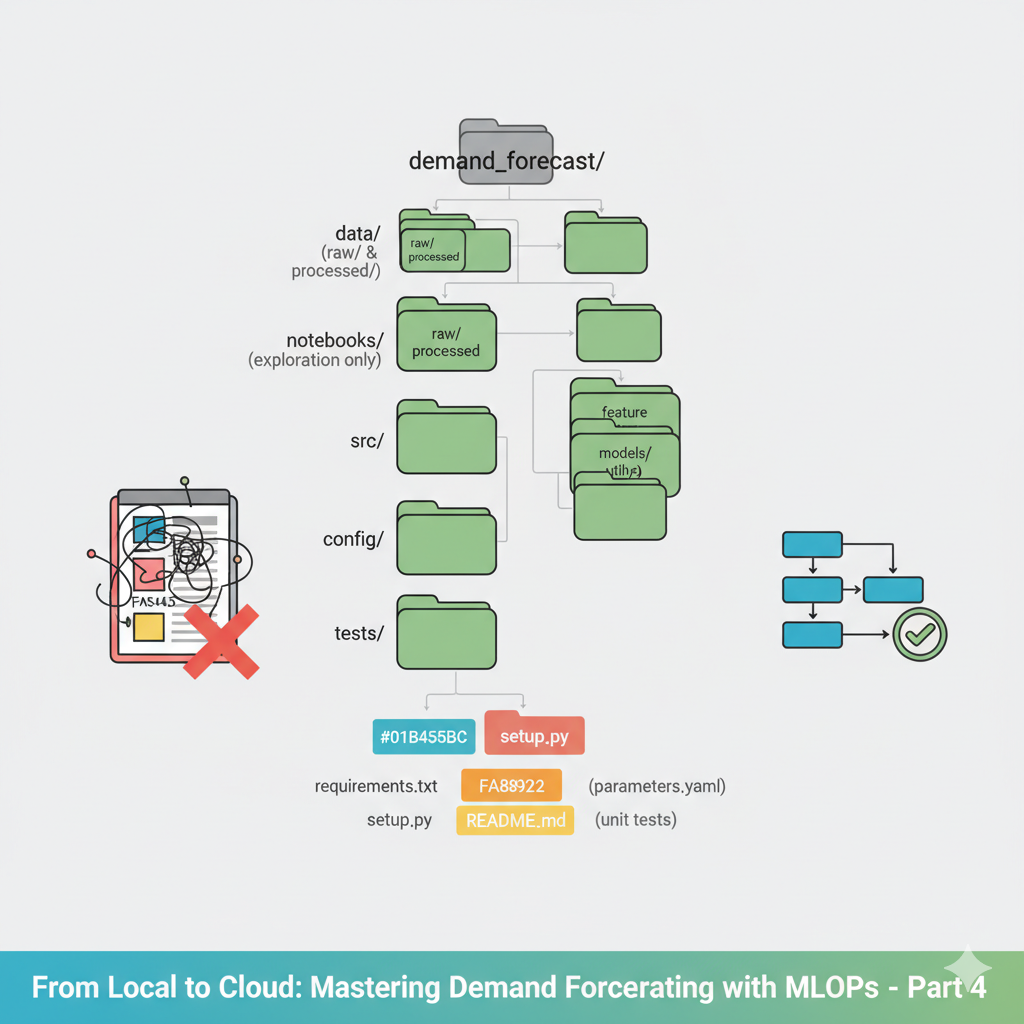
Let’s transform our forecasting work into a maintainable, collaborative codebase. Here’s the structure we’ll build, the full code is in the link time series:
time_series/
├── data/
│   ├── raw/           # Original, immutable data
│   └── processed/     # Cleaned and feature-engineered data
├── notebooks/         # For exploration and visualization ONLY
├── src/               # Our main Python package
│   ├── __init__.py
│   ├── data/
│   │   ├── __init__.py
│   │   ├── make_dataset.py
│   │   └── preprocessing.py
│   ├── features/
│   │   ├── __init__.py
│   │   ├── build_features.py
│   │   └── lag_features.py
│   ├── models/
│   │   ├── __init__.py
│   │   ├── train.py
│   │   └── predict.py
│   └── utils/
│       ├── __init__.py
│       ├── config.py
│       └── visualization.py
├── config/
│   └── parameters.yaml
├── tests/             # Unit tests
├── requirements.txt   # Dependencies
├── setup.py          # Package installation
└── README.md         # Project documentation
Step 1: Configuration Management
First, let’s extract all our magic numbers and parameters into a configuration file.
config/parameters.yaml:
data:
  raw_data_path: "data/raw/retail_demand_dataset.csv"
  processed_path: "data/processed/"
  test_size: 0.2

features:
  lag_periods: [1, 7, 14, 28, 56]
  window_sizes: [7, 28]
  rolling_features: ['mean', 'std', 'max']
  cyclical_features: ['day_of_week', 'month']

model:
  name: "random_forest"
  hyperparameters:
    n_estimators: 100
    max_depth: 15
    random_state: 42
    n_jobs: -1

training:
  target_column: "units_sold"
  validation_split: "2024-01-01"
  metrics: ["mae", "mse", "rmse"]
Step 2: Modular Data Processing
Let’s refactor our data loading and preprocessing into reusable modules.
src/data/make_dataset.py:
import pandas as pd
import numpy as np
import yaml
from pathlib import Path


def load_config():
    """Load configuration from YAML file"""
    config_path = Path(__file__).parent.parent.parent / "config" / "parameters.yaml"
    with open(config_path, 'r') as file:
        config = yaml.safe_load(file)
    return config


def load_raw_data():
    """Load raw data from specified path"""
    config = load_config()
    df = pd.read_csv(config['data']['raw_data_path'], parse_dates=['date'])
    return df


def save_processed_data(df, filename):
    """Save processed data to the processed directory"""
    config = load_config()
    processed_dir = Path(config['data']['processed_path'])
    processed_dir.mkdir(parents=True, exist_ok=True)

    filepath = processed_dir / filename
    df.to_parquet(filepath, index=False)
    print(f"Saved processed data to {filepath}")

def generate_retail_demand_data(start_date='2022-01-01', end_date='2024-12-31', random_seed=42):
    """
    Generate realistic retail demand data for multiple products
    """
    np.random.seed(random_seed)
...
if __name__ == "__main__":
    # Can be run as a script
    df = load_raw_data()
    print(f"Loaded data with shape: {df.shape}")
Step 3: Feature Engineering as a Pipeline
Now, let’s modularize our feature engineering logic.
src/features/build_features.py:
import numpy as np
import pandas as pd
from pathlib import Path
import sys

# Add src to path for imports
sys.path.append(str(Path(__file__).parent.parent))

from data.make_dataset import load_config, load_raw_data, save_processed_data
from utils.config import load_config


def create_temporal_features(df):
    """Create temporal features from date column"""
    df = df.copy()

    # Basic date features
    df['day_of_week'] = df['date'].dt.dayofweek
...
if __name__ == "__main__":
    # Build features for our star product
    df_features = build_features('P003')
    print(df_features)
    print(f"Built features with shape: {df_features.shape}")
Step 4: Model Training as a Reproducible Process
Now, let’s create a robust training pipeline.
src/models/train.py:
import numpy as np
from sklearn.ensemble import RandomForestRegressor
from sklearn.metrics import mean_absolute_error, mean_squared_error
from sklearn.model_selection import TimeSeriesSplit
import joblib
from pathlib import Path
import json
from datetime import datetime
import sys

# Add src to path for imports
sys.path.append(str(Path(__file__).parent.parent))

from data.make_dataset import load_config
from features.build_features import build_features
from utils.visualization import plot_feature_importance, plot_prediction_comparison


def prepare_training_data(df, target_col='units_sold'):
    """Prepare features and target for training"""
    config = load_config()
...
if __name__ == "__main__":
    model, features, metrics = train_model('P003')
Step 5: Making it Executable and Reproducible
Now we can run our entire pipeline from the command line:
# From the project root directory
python -m src.models.train
And our dependency management: requirements.txt and setup.py.
The Payoff: Why This Structure Matters
- Reproducibility: Anyone can clone the repo and run
python -m src.models.trainto get the exact same results. - Collaboration: Multiple team members can work on different modules simultaneously without conflicts.
- Maintainability: When business requirements change, you know exactly which files to modify.
- Deployment Ready: This structure seamlessly transitions to cloud deployment.
- Testing Foundation: You can now write unit tests for each module.
From Local Scripts to Engineering Systems
We’ve transformed our forecasting work from disposable notebooks to a professional codebase. This isn’t just about code organization—it’s about building systems that can scale, be maintained, and deliver consistent business value over time.
The local prototype has grown up. It’s now ready for the next challenge: scaling beyond our laptop’s capabilities.